
BIOS Security Risks Calculator

This calculator estimates how many firmware-level risks may be present in your environment based on the number of devices you manage, so you can understand the exposure that traditional security tools never show you.

Enter the details below to see the common BIOS-level risks across your endpoints.

Want to learn more?

To learn more about BIOS security risks, and how to prevent them with FirmGuard – book some time with our team.

The BIOS Security Challenge

Endpoints requiring a BIOS update

Outdated BIOS firmware can contain unpatched vulnerabilities, making systems an easy target for attackers to gain persistent, low-level access.

Endpoints in Legacy Boot mode

Devices running in legacy boot bypass modern firmware protections, leaving them highly vulnerable to rootkits and boot-level malware.

Endpoints with Secure Boot disabled

Disabling Secure Boot removes a critical safeguard against unauthorized OS or firmware tampering, allowing malicious code to load undetected at startup.

See the BIOS-Level Risks in Your Endpoints

Most security programs focus on the OS. That’s where the tools are, and that’s where visibility ends. But every device has a deeper layer: the BIOS firmware. This runs before the OS and is rarely monitored. When attackers get in there, they gain persistence that survives reboots and OS-reinstalls.

As endpoint counts grow, so does the likelihood that BIOS-level vulnerabilities already exist across your devices. 

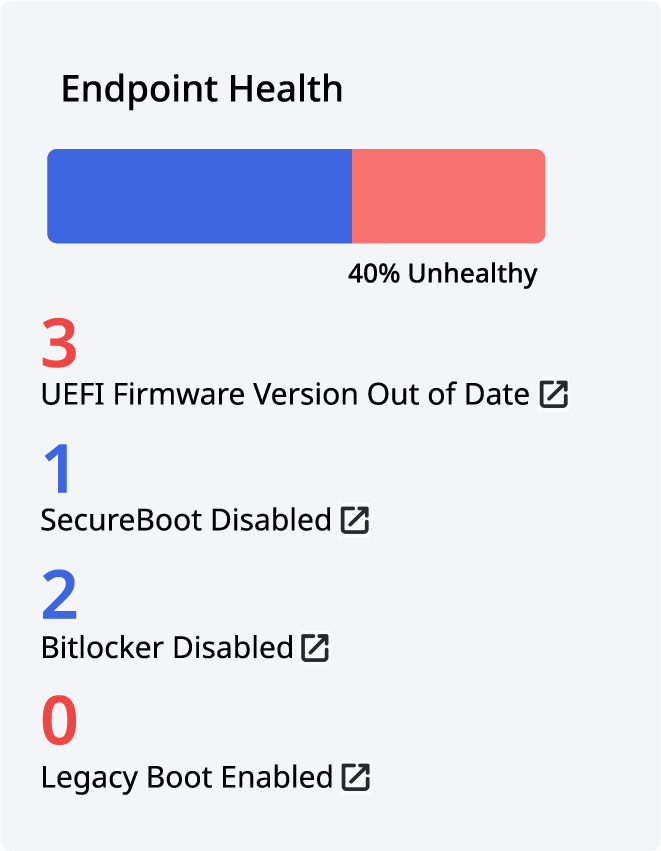
Endpoint Health FirmGuard Dashboard
Endpoint Health
Aggregate endpoint
health based on key
security metrics such
as Secure Boot status
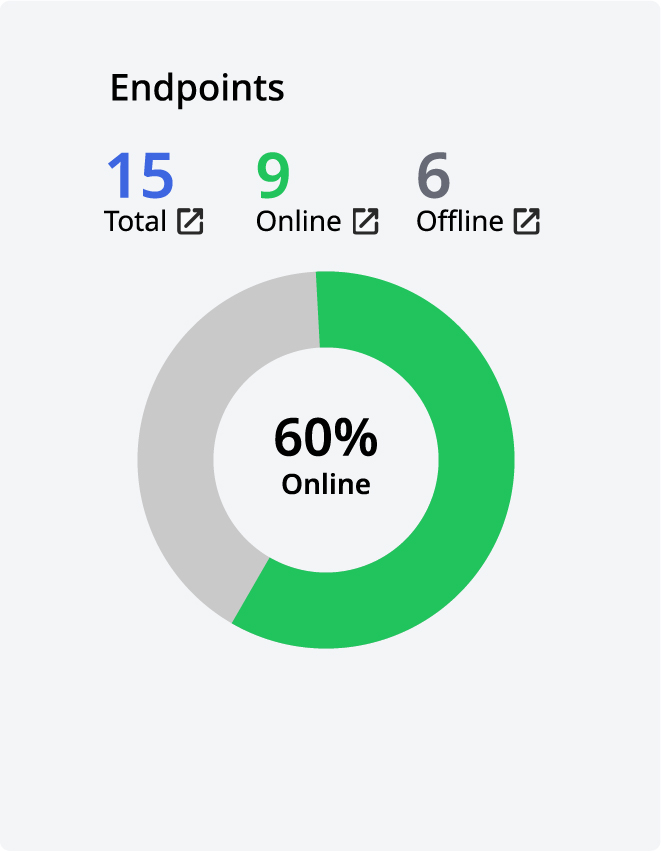
Endpoints FirmGuard Dashboard
Endpoints
Current online/offline
status of all endpoints
under management
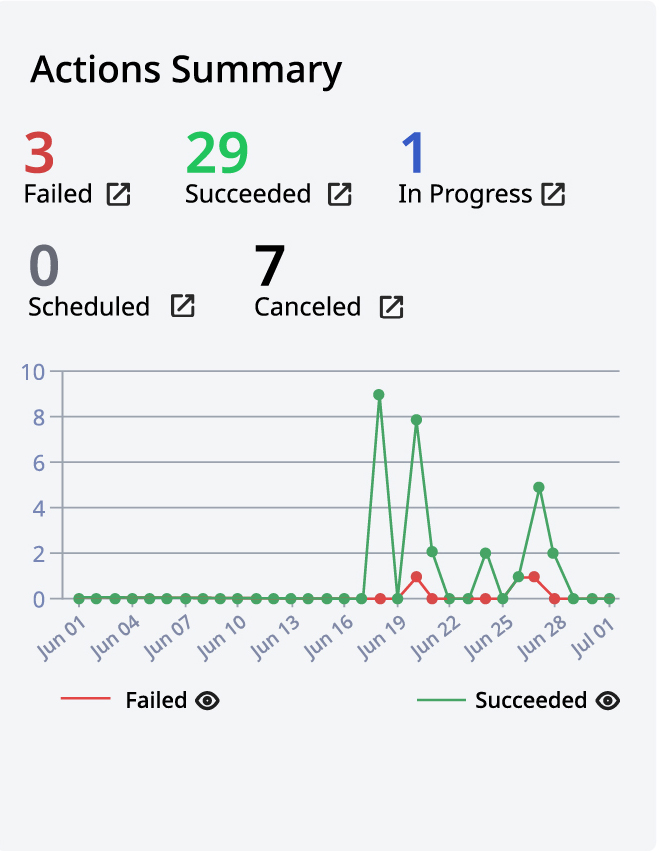
Actions Summary FirmGuard Dashboard
Action Summary
A visual representation
of recent FirmGuard
actions such as a
BIOS update
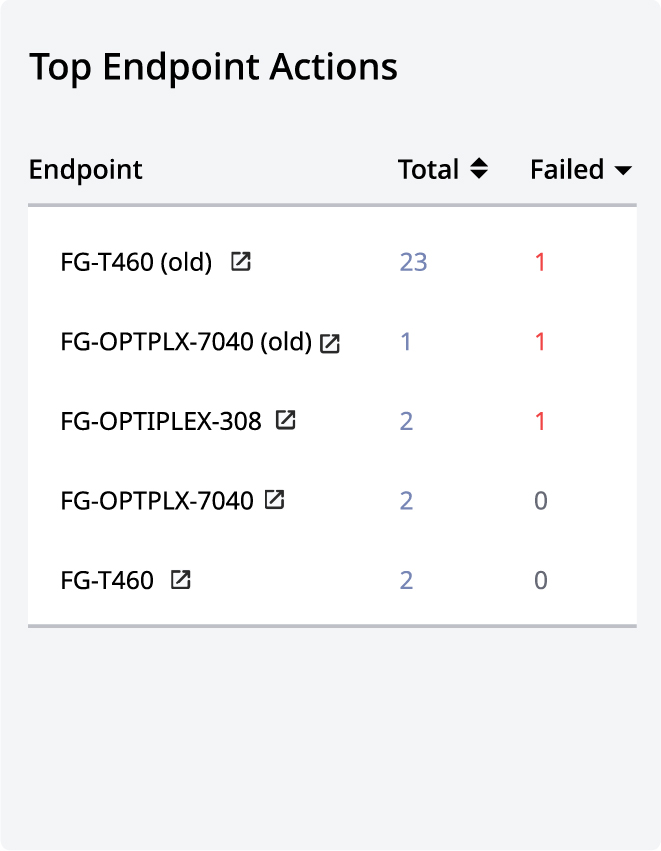
Top Endpoint Actions FirmGuard Dashboard
Top Endpoint Actions
A tabular representation
of endpoints with the
most recent actions

SOLUTIONS

THE FIRMGUARD PLATFORM