










The Remote Incident Response Challenge
Attackers don’t just breach software; they outlast it. When ransomware or faulty updates disable endpoints, traditional tools fail because they depend on the operating system. Once the OS is gone, visibility, control, and recovery are lost. Firmware-level persistence becomes the attacker’s advantage and the defender’s blind spot.
The Remote Incident Response Challenge
Attackers don’t just breach software; they outlast it. When ransomware or faulty updates disable endpoints, traditional tools fail because they depend on the operating system. Once the OS is gone, visibility, control, and recovery are lost.
Firmware-level persistence becomes the attacker’s advantage and the defender’s blind spot.
Cost of Downtime
Distributed Endpoints
Enterprises and MSPs manage thousands of diverse endpoints across locations and remote sites.
Advanced Threats
Ransomware and malware can cripple systems and disable OS-based tools. Traditional security tools also typically require manual intervention.
Regulatory & Trust Risk
Slow response can lead to compliance failures and client dissatisfaction.
Securing Endpoints Below the OS is Complex
Invisible Layer
Most endpoint protection stops at the OS. When the OS fails, visibility and control disappear. Attackers exploit this blind spot, persisting in firmware where traditional tools can’t reach.
If you can’t see below the OS, how can you respond?
Unreachable Devices
Ransomware, bad patches, or offline systems cut off communication with standard security tools. Without a path to connect pre-OS, teams can’t isolate or recover affected devices.
If you can’t reach the endpoint, how can you contain it?
Lost Recovery
Once firmware or bootloaders are compromised, even rebuilding from scratch becomes unreliable. Without trusted pre-OS persistence, re-imaging or wiping securely isn’t guaranteed.
If you can’t trust the rebuild, how can you restore safely?
No Persistence, No Resilience
Most agents vanish with a system reimage or if they are manually disabled. FirmGuard’s persistence layer survives these events, ensuring defenders stay connected and in control.
If protection disappears, who’s really in charge?
FirmGuard Pre-OS Incident Response Platform
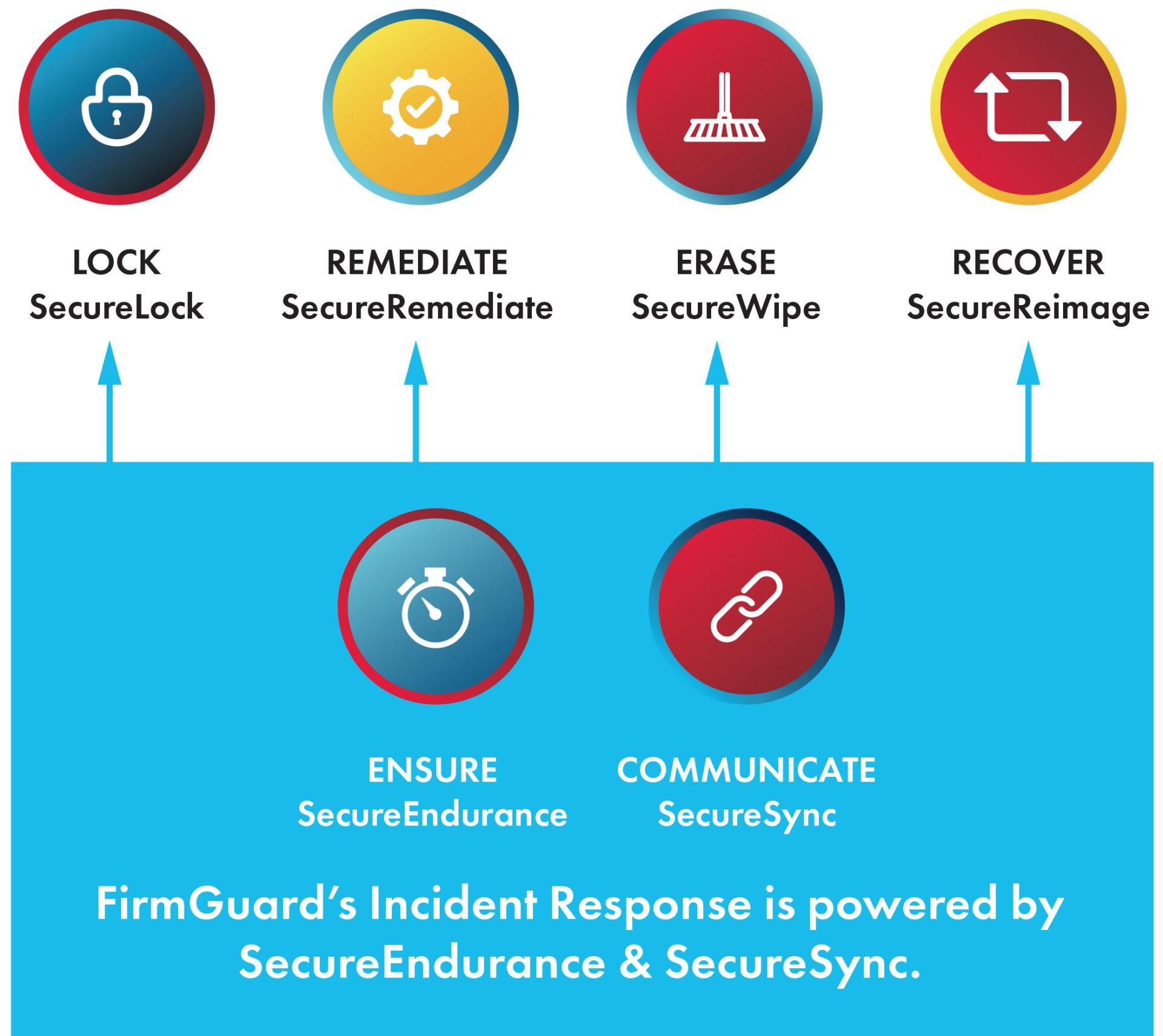
Lock: (SecureLock): Locks (or Wipes – v2.0) an endpoint after failure to check in for X days until unlock code entered
Remediate: (SecureRemediate) – Remotely fix issues (like CrowdStrike) pre-OS
Erase: (SecureWipe 2.0) – Forensic wipe with confirmed Certificate of Data Erasure (1.0) & Certificate of Data Destruction (2.0)
Recover: (SecureReimage 2.0) – Reinstalls a clean Windows Pro OS from the cloud with Windows OOBE
Ensure: (SecureEndurance) – Maintains FirmGuard agent persistence across firmware updates and OS reimaging
Communicate: (SecureSync) – Stay connected with pre-OS/no-OS control via LAN or Wi-Fi
Enterprise & MSP Use Cases
Lost or Stolen Endpoint
If an endpoint is reported lost or stolen, immediately lock the endpoint with SecureLock (requires a one-time code to launch the OS). Once endpoint is confirmed to have been stolen, erase all data using SecureWipe.
Rapid Ransomware or Breach Containment
After a ransomware attack or malware breach, instantly lock affected machines with SecureLock to halt spread. As needed, remotely reimage the endpoint(s) using SecureReimage and optionally forensically erase all data prior to the reimage.
Remove Malware without the OS
Remove malicious files (e.g., during CrowdStrike like incident) from the file system prior to OS launch. This works even if the OS won’t load its security agent.
Regulatory Data Sanitization
Before redeploying or disposing of hardware, automatically wipe drives with SecureWipe 2.0 and obtain auditable certificates. This addresses compliance needs (e.g. GDPR, HIPAA) by proving data destruction.
| Capability | Traditional Tools |
|
|---|---|---|
| Works when OS is down | Pre-OS operation | |
| Detects firmware issues/rootkits | BIOS/UEFI analysis | |
| Remote lock of compromised endpoints | SecureLock boot-level control | |
| Remote reimage without onsite tech | SecureReimage | |
| Certified forensic drive wiping | Requires add-on tools | Built-in SecureWipe |
| Agent persistence against tampering | Easily removed | SecureEndurance |
| BIOS configuration + password mgmt | Limited/vendor-specific | Unified cross-OEM control |